Humanoid Avatar
Unity’s Animation System has special features for working with humanoid characters. Because humanoid characters are so common in games, Unity provides a specialized workflow, and an extended tool set for humanoid animationsAn animation using humanoid skeletons. Humanoid models generally have the same basic structure, representing the major articulate parts of the body, head and limbs. This makes it easy to map animations from one humanoid skeleton to another, allowing retargeting and inverse kinematics. More info
See in Glossary.
The Avatar system is how Unity identifies that a particular animated model is a humanoid, and which parts of the model correspond to the legs, arms, head, and body.
Because of the similarity in bone structure between different humanoid characters, it is possible to map animations from one humanoid character to another.
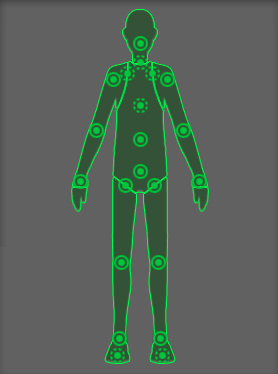
The following topics provide more details on humanoid animation and root motionMotion of character’s root node, whether it’s controlled by the animation itself or externally. More info
See in Glossary:
| Topic | Description |
|---|---|
| Retarget humanoid animation | Reuse humanoid clips on different models after you configure each AvatarAn interface for retargeting animation from one rig to another. More info See in Glossary. |
| Inverse Kinematics | Use inverse kinematicsThe geometry that describes the position and orientation of a character’s joints and bodies. Used by inverse kinematics to control character movement. See in Glossary to pose jointsA physics component allowing a dynamic connection between Rigidbody components, usually allowing some degree of movement such as a hinge. More info See in Glossary from a fixed point. |
| How Root Motion works | Learn how body and root transformsThe Transform at the top of a hierarchy of Transforms. In a Prefab, the Root Transform is the topmost Transform in the Prefab. In an animated humanoid character, the Root Transform is a projection on the Y plane of the Body Transform and is computed at run time. At every frame, a change in the Root Transform is computed, and then this is applied to the GameObject to make it move. More info See in Glossary drive character motion from clips. |
| Scripting Root Motion | Move characters from in-place clips using curves, controllers, and the OnAnimatorMove API. |
| Avatar Mapping tab reference | Reference for mapping bones to the humanoid Avatar. |
| Avatar Muscle and Settings tab reference | Reference for muscle limits, previews, and range-of-motion settings on an Avatar. |
| Avatar Mask window reference | Reference for masking humanoid body regions or transform paths in animation. |
| Human Template window reference | Reference for editing saved Human TemplateA pre-defined bone-mapping. Used for matching bones from FBX files to the Avatar. More info See in Glossary bone mappings. |
Additional resources
Copyright © 2023 Unity Technologies
优美缔软件(上海)有限公司 版权所有
"Unity"、Unity 徽标及其他 Unity 商标是 Unity Technologies 或其附属机构在美国及其他地区的商标或注册商标。其他名称或品牌是其各自所有者的商标。
公安部备案号:
31010902002961