Installing and uninstalling Reflect
Installing Reflect
To install Unity Reflect:
Open the installer .exe file and select the components you want to install.
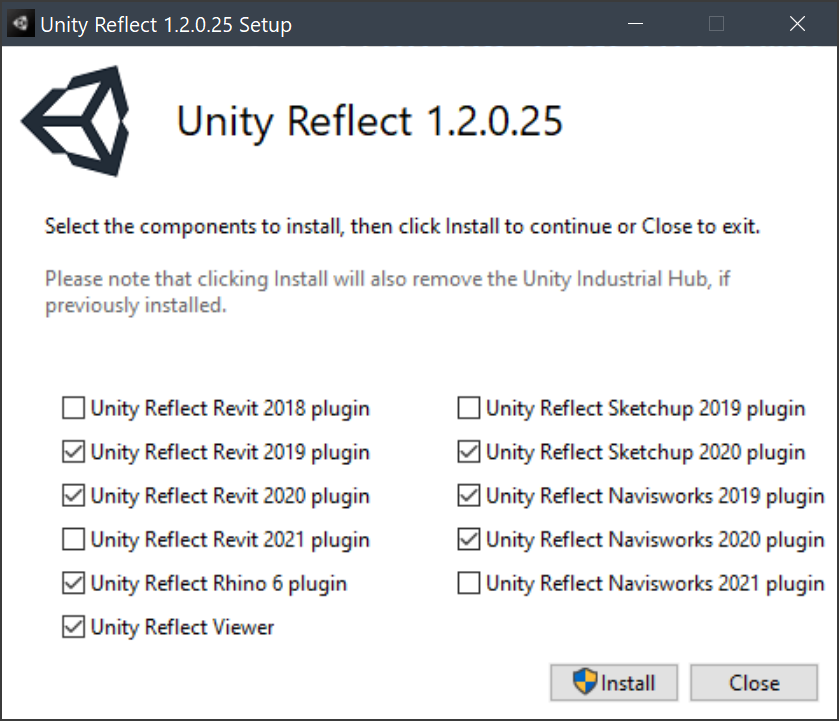
Note: This may require administrator privileges.
Click Install.

The installation may take some time.
Once your components are installed, click Restart to restart your computer.
Uninstalling Reflect
You can manage your installation of Unity Reflect from Windows Settings > Add or remove programs.
To uninstall Unity Reflect and all of its components, click Unity Reflect > Uninstall.
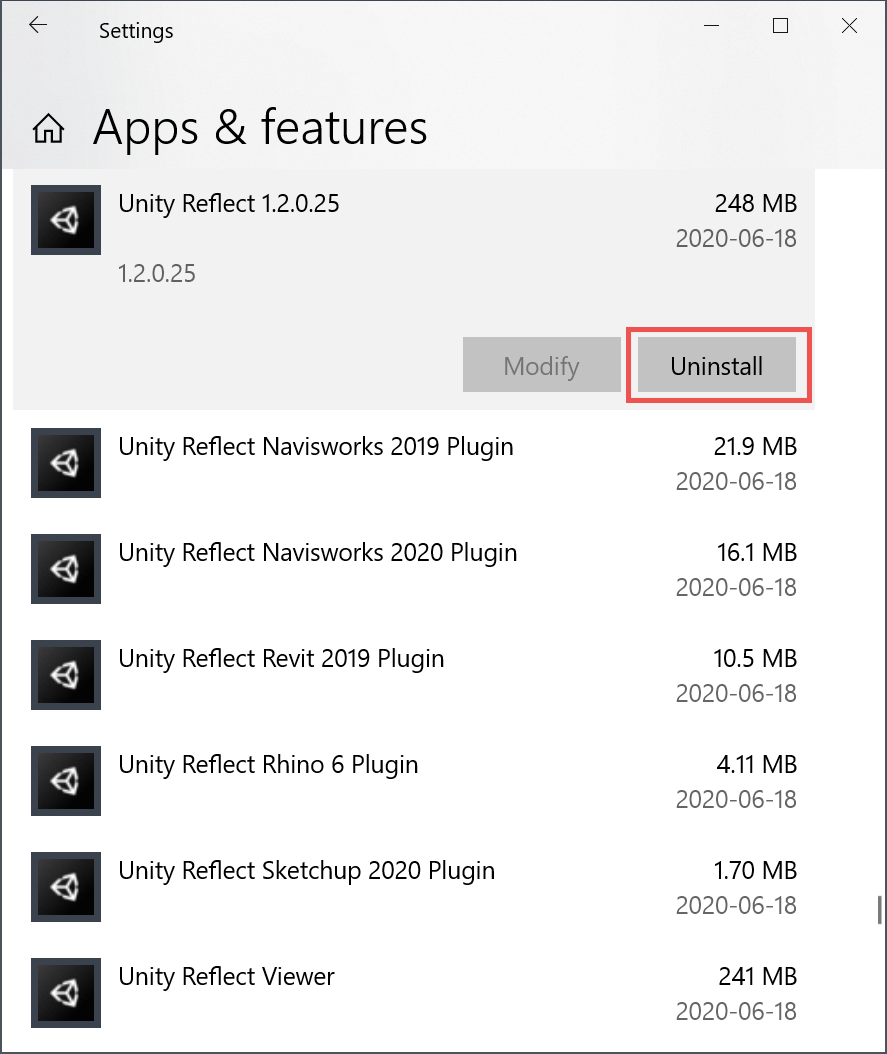
To uninstall specific plugins, click the name of the plugin > Uninstall.
