Introduction to the Asset Store
The__ Asset Store__由 Unity 和社区成员创建的免费和付费的资产库,其规模处于不断壮大中。提供各种资产,涵盖了从纹理、模型和动画到完整项目示例、教程和编辑器扩展等类型。更多信息
See in Glossary contains a library of free and commercial assets that Unity Technologies and members of the community create. A wide variety of assets are available, including textures, models, animations, entire project examples, tutorials, and extensions for the Unity Editor.
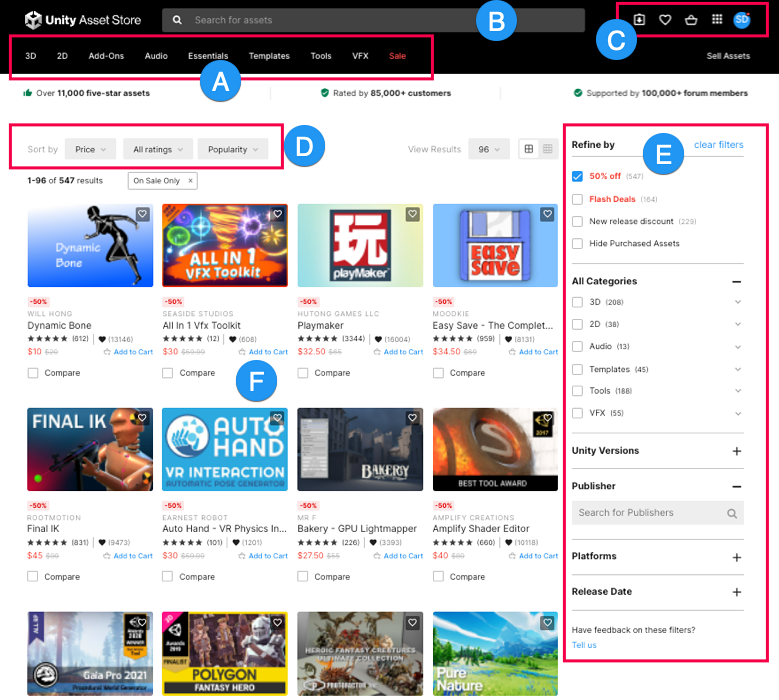
Access the Asset Store
You can access the Asset Store website at https://assetstore.unity.com/.
In Unity 6.0 and later, you can open the Asset Store website in the Unity Editor from the Asset Store dropdown in the toolbar. You can also use this dropdown to open your downloaded assets in the Package Manager Window.
In all supported versions of Unity, you can search for your purchased and downloaded Asset Store packages in the Package Manager window.
Asset Store package types
Asset Store packages are collections of files and data from Unity projects, or elements of projects. An Asset Store package type is either a UPM package or an asset package (.unitypackage format). When you add an Asset Store package to your project, the Unity Package Manager unpacks the package and maintains its directory structure and metadata about assets. This metadata includes information such as import settings and links to other assets.
Both package types have their advantages, as follows:
-
Asset packages: Best for one-off imports or sharing assets without setting up a package registry and requires fast one-off iterations. It is suited for content assets such as 3D models and__ UI__(即用户界面,User Interface)让用户能够与您的应用程序进行交互。Unity 目前支持三种 UI 系统。更多信息
See in Glossary elements that end players will interact with. For more information about asset packages, refer to Distribute assets as packages. - Unity Package Manager (UPM) packages (currently in beta testing): Can be versioned, and excluded from source control. Use UPM when you need version control, dependency management, or plan to maintain the package across multiple projects. For more information about UPM packages, refer to Introduction to packages.
For more information, refer to Package types, and Introduction to publishing Asset Store packages.
Additional resources
Copyright © 2023 Unity Technologies
优美缔软件(上海)有限公司 版权所有
"Unity"、Unity 徽标及其他 Unity 商标是 Unity Technologies 或其附属机构在美国及其他地区的商标或注册商标。其他名称或品牌是其各自所有者的商标。
公安部备案号:
31010902002961